Home Assistant integration for the B-Logicx bus gateway (NWM / NWX)
View the Project on GitHub rafverbiest/homeassistant_b-logicx
← Home · Nederlands · English
Configuration
Manage addresses in the integration options (UI) or via YAML import/export. The main options menu shows an entry count only — not a full dump of every member.
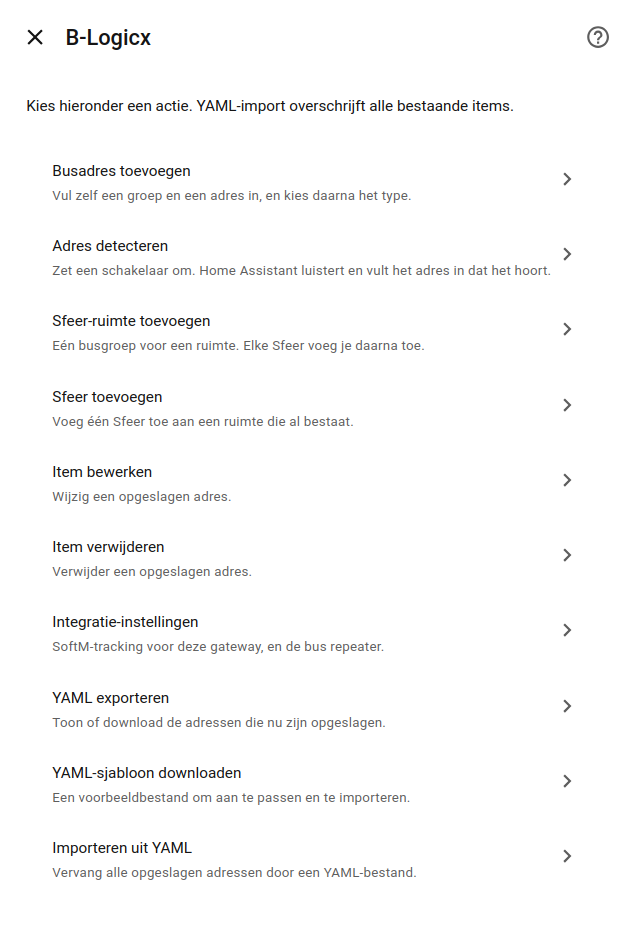
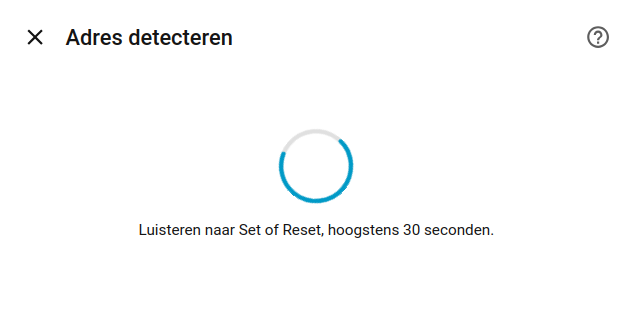
Detect an address listens for up to 30 seconds. Turn an RLM or a SoftM on or off. Send a cover up, then down. For a cover, Set is the direction you sent. Reset is the other relay.
Import from BHS reads the member list once from the BHS (port 10014) and adds the modules you check.
Address types
| YAML | HA entity | Notes |
|---|---|---|
rlm |
switch |
on_command / off_command (Set, Reset, Toggle, …) |
dimmer |
light |
Physical address. Slider 0–100. On/off is a short Dimmer tap; Set/Reset is the answer. See Dimmer |
softm |
switch |
Same commands. Tracking and timer: SoftM |
readonly |
binary_sensor |
Observe Set/Reset only; no control |
shutter |
cover |
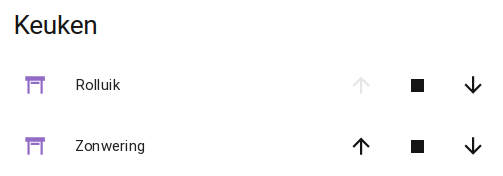
Open and close pair (dual RLM) |
sfeer |
select |
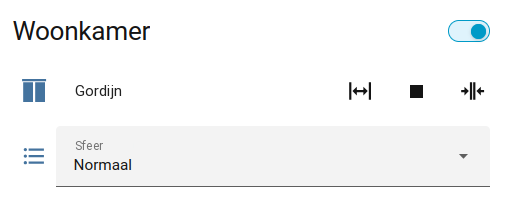
Room + moods (group/address per scene) |
ldm |
sensor (+ optional refresh button) |
Light sensor |
tsm |
sensors (+ optional refresh) |
Thermostat telemetry |
wsm |
sensor (+ optional refresh button) |
Wind speed, km/h. See below |
bm8 |
buttons |
Doorbell, 8 chimes and stop. See below |
rtc |
(no control entity) | Interval + DST clock sync |
aud |
media_player |
Virtual audio module, usually group 4. controller: bhs or ha. See below |
An address you remove also disappears from the device list under the gateway when the integration reloads.
AUD
controller is required: bhs or ha. bhs leaves control of the physical player to BHS. The eight source_* names are labels on the widget in Home Assistant.
BHS control was tested with a NuVoP. NUV, AUD, ASD, and ART24 use the same control, as far as I can tell.
Home Assistant control (controller: ha) was tested with Spotify, but it should work with any media player Home Assistant can link (such as Sonos, and others).
Turn it on before you start the configuration. Each source_* is a source that the external player reports to HA. A DSM display module, or this widget, still sends Misc and Select. Home Assistant then controls play, the stored stop command, the volume, the stored mute command, or select_source on the linked player.
When another of the eight named sources is chosen on that linked player, or play, stop, or mute changes, this widget updates and sends Misc and Select, so the DSM displays follow. A source outside those eight names is ignored.
The options screen asks for BHS or Home Assistant before the source names. With Home Assistant you pick the media player while it is on, so its features can be read. The next screen offers only the stop and mute commands that player supports: stop, or pause when it has no stop, or turn off when it has neither; mute, or volume to 0 when it has no mute. volume_step is how many percentage points one press moves, from 1 to 20, starting at 5 (this avoids excessive presses on the DSM). It is stored when the player can accept volume commands. When the player can be turned on, a play command sends turn_on first while that player is off or in standby, then media_play. A source button stays select_source on its own, without turning the player on. A player with no mute and no volume set can still be linked, and mute presses do nothing to it. When the source list is empty, turn the player on and open the screen again. Editing the same player while it reports nothing keeps the names and commands already chosen.
WSM
type: wsm. The sensor shows the wind speed in km/h, from 0 to 50.
BM8
type: bm8. Eight buttons each sound a built-in chime. The ninth button stops the sound. The group is usually 1. An automation in HA can sound any of the chimes with button.press.
Status probe (check_status)
For switches, read-only sensors, dimmers, covers, Sfeer, LDM, TSM, and WSM you can send a bus Status at startup. With check_status off, they show their last state and do not query the bus. An RTC has nothing to answer Status with.
SoftM and bus repeater
The main switches are in the integration settings:
- SoftM status tracking → SoftM
- TCP bus repeater → Bus repeater